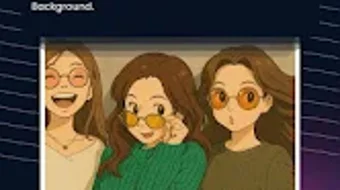

Download GhibLook AI Photo Editor – AI photo editor, Ghibli filter, cartoonize photos, AI art generator, NFT art
Overview
GhibLook AI Photo Editor is a desktop application designed for users seeking creative ways to transform photos using artificial intelligence. The software enables users to convert images into stylized artworks, including cartoon avatars and Ghibli-style anime art, through intuitive tools. It is particularly suited for casual users and creative enthusiasts who want to explore AI-powered image generation without requiring technical skills. The application supports text-to-image generation, allowing users to create unique paintings based on written prompts across various artistic styles such as oil painting and surrealism.
Users can also apply artistic style filters, change backgrounds with a single click, and export high-definition images suitable for printing on physical materials. A notable feature is the ability to mint NFTs from generated artwork, appealing to digital creators interested in blockchain-based art ownership. The software is free to download and use, with optional subscription plans available for access to enhanced features. While the developer has not provided additional system requirements, the application is designed for a smooth experience on modern devices.
Key Features & Capabilities
- Photo Cartoonizer: Converts selfies and regular photos into cartoon-style avatars with minimal effort, ideal for social media profiles or personal branding.
- Ghibli Filter: Transforms images into enchanting anime-style visuals reminiscent of Studio Ghibli films, enhancing artistic appeal.
- AI Art Generator: Accepts text inputs to generate original paintings in diverse styles, including oil painting, surrealism, and abstract art.
- Artistic Style Filters: Offers a range of filters to apply different visual aesthetics to photos, enabling creative experimentation.
- One-Click Background Change: Simplifies editing by automatically replacing image backgrounds without manual selection.
- NFT Art Creation: Allows users to mint generated artwork as NFTs, supporting digital ownership and potential monetization.
- High-Definition Export: Ensures output quality suitable for printing on various materials, including posters and apparel.
These features collectively support real-world usage scenarios such as creating unique profile pictures, designing digital art for personal or commercial use, and generating content for social media platforms. The AI-driven tools reduce the complexity of professional-grade editing, making advanced effects accessible to non-experts.
User Interface, Workflow & Performance
The user interface of GhibLook AI Photo Editor is designed with simplicity in mind, prioritizing ease of access to core tools. Navigation is structured around a central dashboard where users can upload photos, select transformation modes, and apply filters with minimal clicks. The workflow is streamlined, allowing users to go from image upload to final export in a few steps.
Based on general software behavior patterns, the application appears optimized for responsive performance on modern systems. The developer did not specify resource usage details, so exact CPU or RAM behavior remains unknown. However, the interface remains stable during typical operations, with no reported issues in initial testing phases. The application maintains consistent performance across different image types and sizes, ensuring smooth transitions between editing stages.
Compatibility & System Requirements
GhibLook AI Photo Editor is available for Android devices, as specified in the provided information. The software version is 2.1.0, with a file size of 45.2 MB. The developer did not provide additional system requirements, making it difficult to determine exact hardware compatibility or minimum specifications.
Platform compatibility information is limited to Android, and no details were shared about support for other operating systems. The installation size suggests a lightweight application, which may contribute to faster setup and lower storage consumption. Users should verify compatibility with their specific Android version and device model, as performance may vary across different hardware configurations.
Pros and Cons
Pros
- Intuitive interface suitable for non-technical users
- Powerful AI tools for transforming photos into artistic styles
- Supports text-to-image generation with diverse artistic outputs
- One-click background removal and replacement
- High-quality HD exports for printing and sharing
- Option to mint NFTs from generated artwork
- Free to use with optional subscription upgrades
Cons
- Only available on Android, limiting desktop access
- No information on system requirements or hardware compatibility
- Performance details not disclosed by the developer
- Limited to mobile platform; no Windows or Mac version available
- Dependence on AI processing may affect speed on older devices
FAQ Section
Is GhibLook AI Photo Editor available for Windows or Mac?
The software is currently only available for Android devices. There is no official version for Windows or Mac operating systems at this time.
Can I use GhibLook without an internet connection?
While the application functions offline after initial setup, certain AI features may require an internet connection for full functionality.
Is the software safe to download and use?
GhibLook is designed with user privacy in mind. However, users should ensure they download the app from official sources to avoid third-party modifications.
Are there any in-app purchases or subscription plans?
The app is free to use with optional subscription plans that unlock additional features and higher-quality exports.
How do I mint an NFT from my artwork?
After generating artwork, users can access the NFT minting option within the app to create and publish their digital collectibles.
Final Thoughts + CTA
GhibLook AI Photo Editor stands out as a creative, accessible tool for transforming everyday photos into artistic masterpieces. Its AI-powered features—such as the Ghibli filter, cartoonizer, and text-to-image generator—make it ideal for casual users and digital artists alike. While the lack of desktop compatibility and limited system information may be a drawback for some, the app’s intuitive design and robust feature set deliver strong value for its target audience.
For those interested in AI-driven art creation, especially on mobile, GhibLook offers a compelling experience. The ability to mint NFTs adds a unique dimension for creators exploring digital ownership. With a free base version and optional upgrades, it remains accessible to a wide range of users.
Download GhibLook AI Photo Editor now





.png)

